English
Credentials
Credentials store target-host authentication for use by assets and SSH gateways. They are not Next Terminal user sign-in passwords.
When to use credentials
- Multiple assets share an operations account.
- Password or key rotation should be performed in one place.
- Secret material should not be repeated in every asset record.
An asset with a unique account can still store its password or key directly.
Password credential
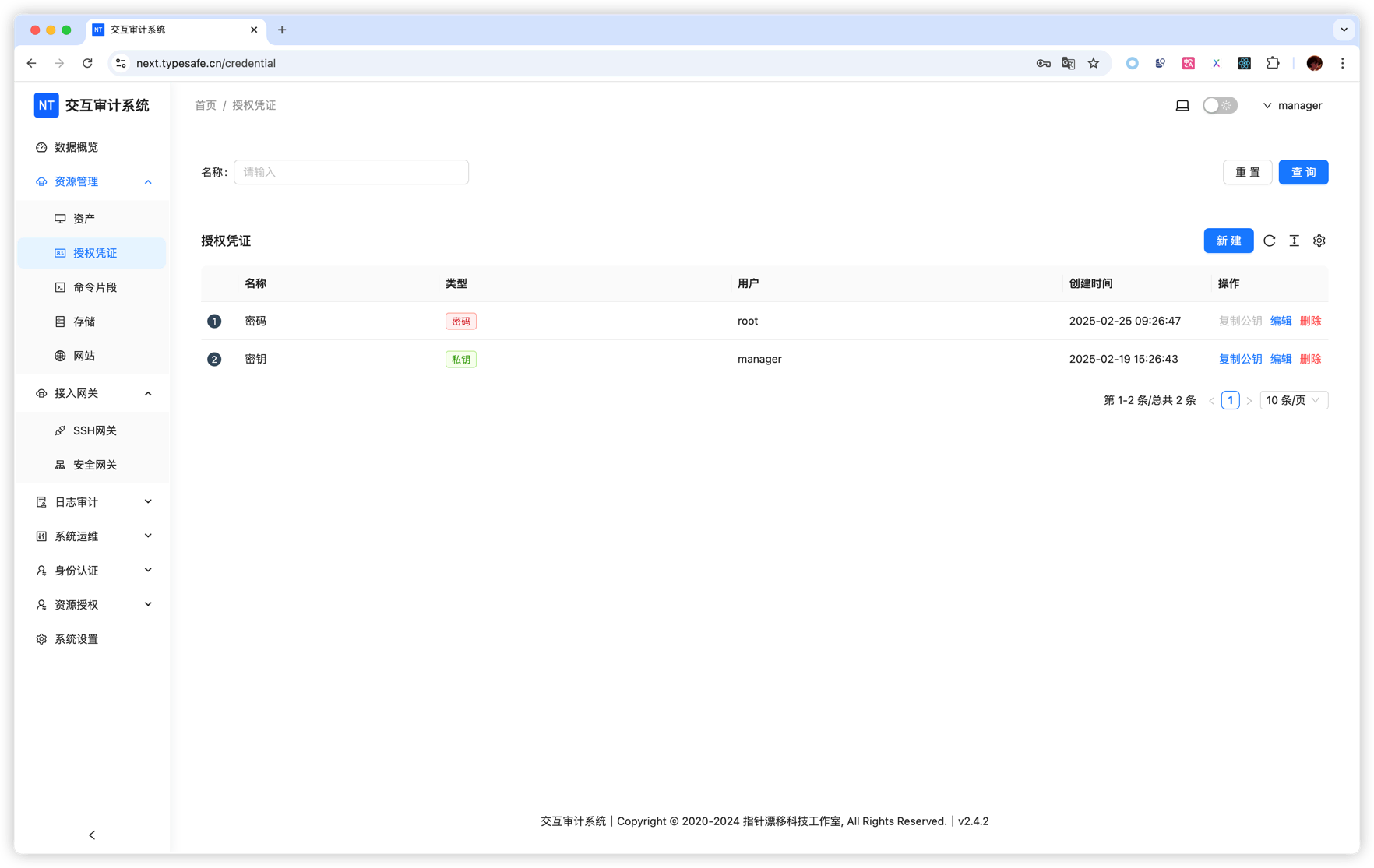
Open Asset Management > Credentials, click Create, select Password, enter the target username and password, and save.
Private-key credential
Select Private Key, enter the SSH username, paste or generate a key, and provide its passphrase when encrypted. After saving, use Copy Public Key and install that key in the target user's authorized_keys.
Use it on an asset
Set the asset's account type to Credential and select the record. Private-key credentials apply only to SSH; RDP and VNC use password credentials.
Viewing secret material
Viewing a saved password or private key may require MFA. This prevents an already authenticated browser session from reading plaintext credentials without an additional check.
Rotation and deletion
- Updating a credential affects every referencing asset and SSH gateway; test them after rotation.
- A credential still referenced by an asset or gateway cannot be deleted until those references are removed.
- Name credentials by environment and purpose, such as
prod-linux-ops, and avoid one universal privileged credential.